Now available on Windows

Don't just practice.
Win the room.

Practice with an AI interviewer that knows your resume and target role. Then keep that coach available when it matters — quietly, on your screen, on your terms.

Join candidates interviewing at
Windows may show a security prompt the first time

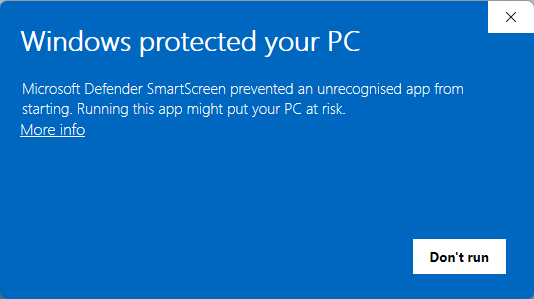
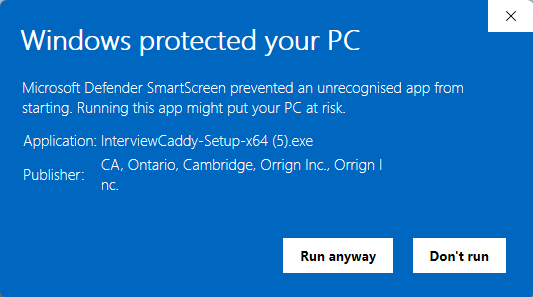
Because InterviewCaddy is new, Windows SmartScreen may show “Windows protected your PC” until it recognizes us. If you see it: click More info, then Run anyway.

Windows SmartScreen dialog with the More info link circled
1Click More info — small link, easy to miss.
Expanded dialog showing Publisher: Orrign Inc and the Run anyway button
2Check the publisher reads Orrign Inc, then click Run anyway.
15-min free trial No credit card
See how it works
Demo

See Mock & Live Assist in action.

Watch a full Mock interview with scorecard at the end and a real Live Assist session with live cues.

01 · Live Assist

Real-time coaching when you need it most.

Get private prompts and structure cues as conversations unfold. Whether you're rehearsing with a friend, working through a practice loop, or in a high-stakes moment — your prep stays with you.

01 · Start session

Launch before your conversation

Drop in your resume and target role once. Hit Start, then open Zoom, Meet, or Teams as normal.

02 · Conversation flows

Talk like you normally would

InterviewCaddy listens for questions as they come up and surfaces relevant talking points in your private workspace.

03 · AI answers appear
Lead with the Q3 pricing review. Frame disagreement around data, not position…

Read, riff, deliver in your own words

Tailored, structured talking points appear in your private workspace — separate from any video call window — so you can speak naturally with your own framing.

And Live Assist stays yours — Live Assist lives in a private layer, never in your dock, recordings, or a shared window.
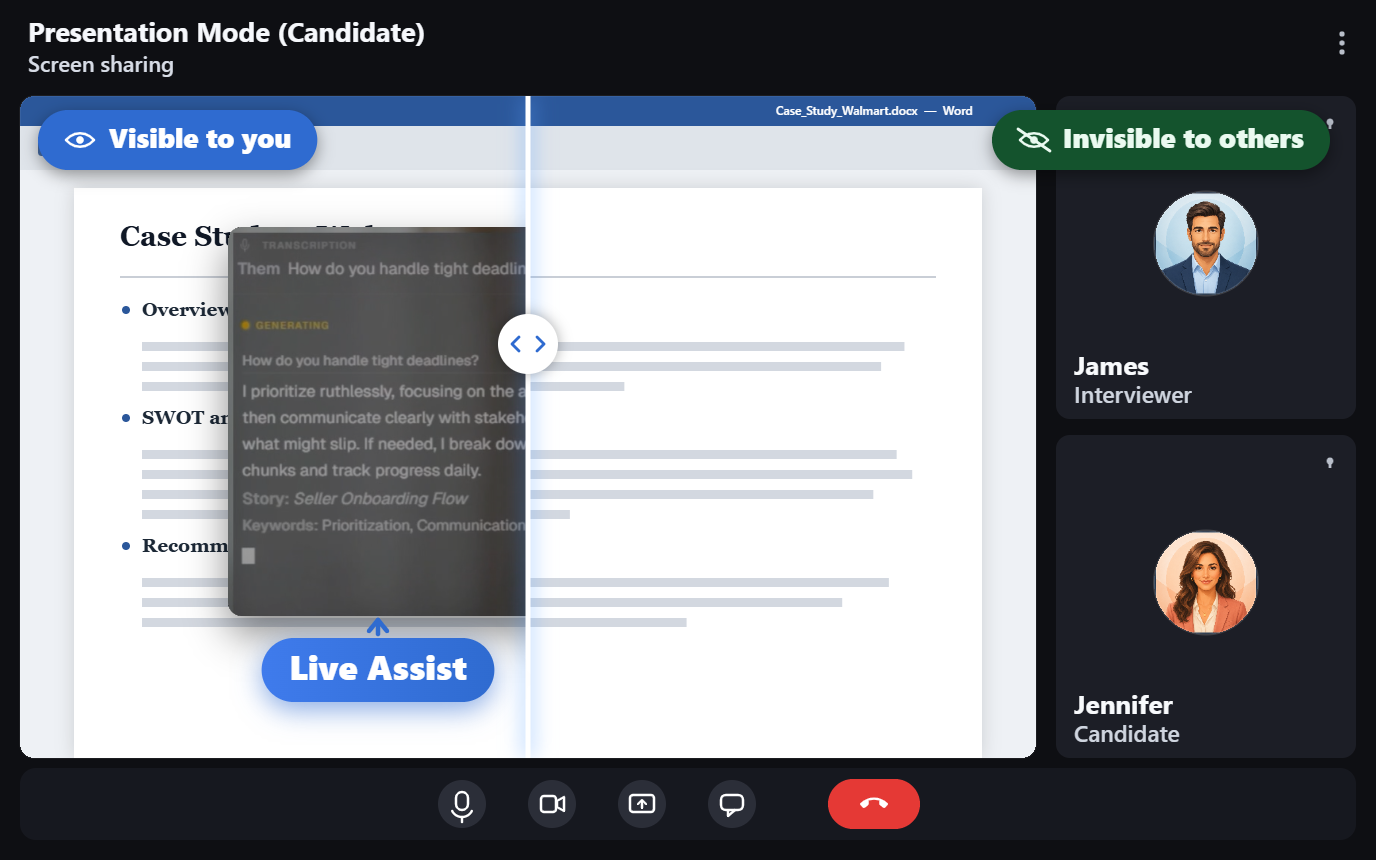
Private from screenshare
Live Assist private layer during a Google Meet screen share

Share your screen without sharing your prep. Your Live Assist stays on your side of the glass.

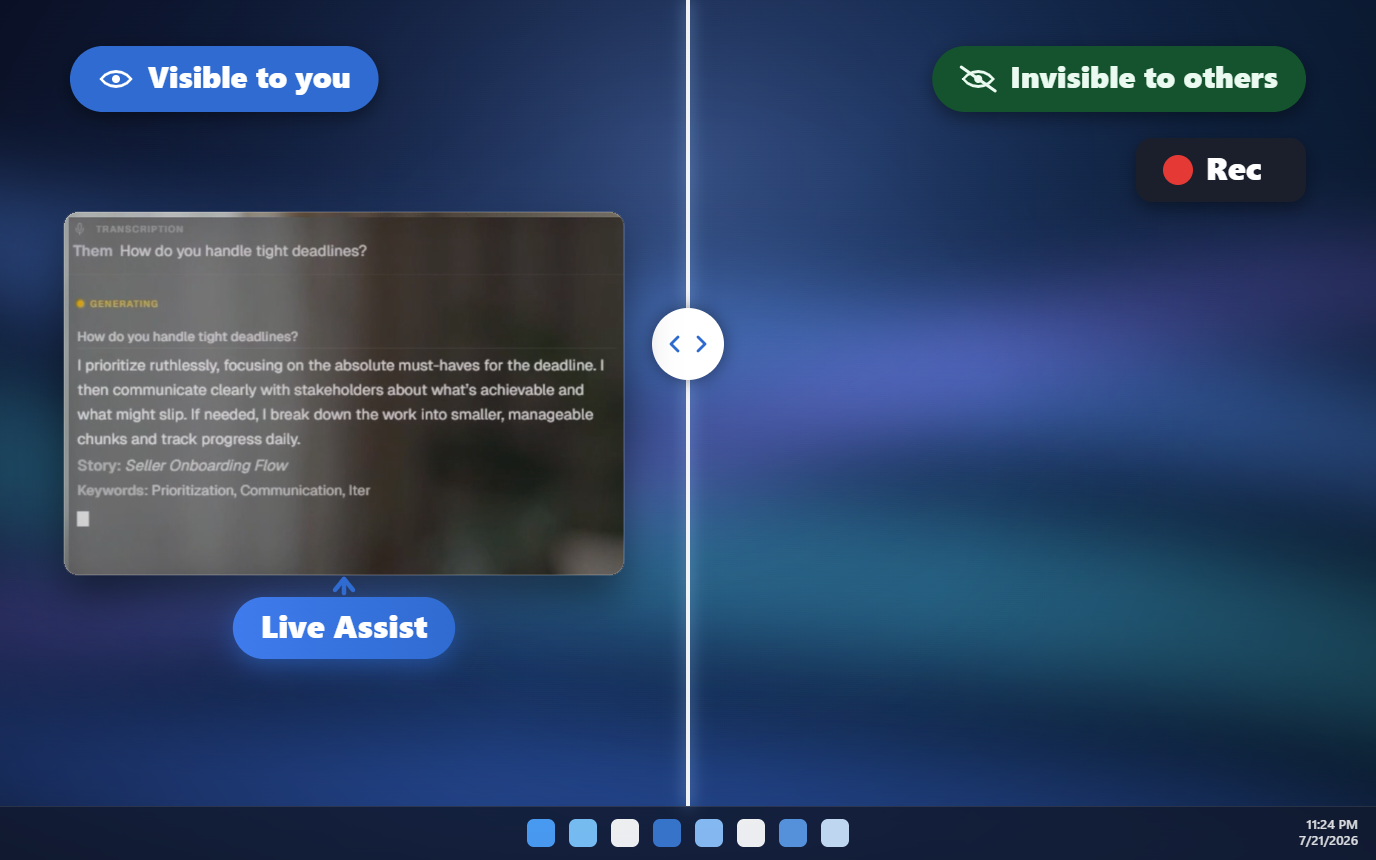
Private from screen recording
Live Assist private layer over a shared desktop

Run your sessions freely. Your Live Assist panel isn't part of screen recording.

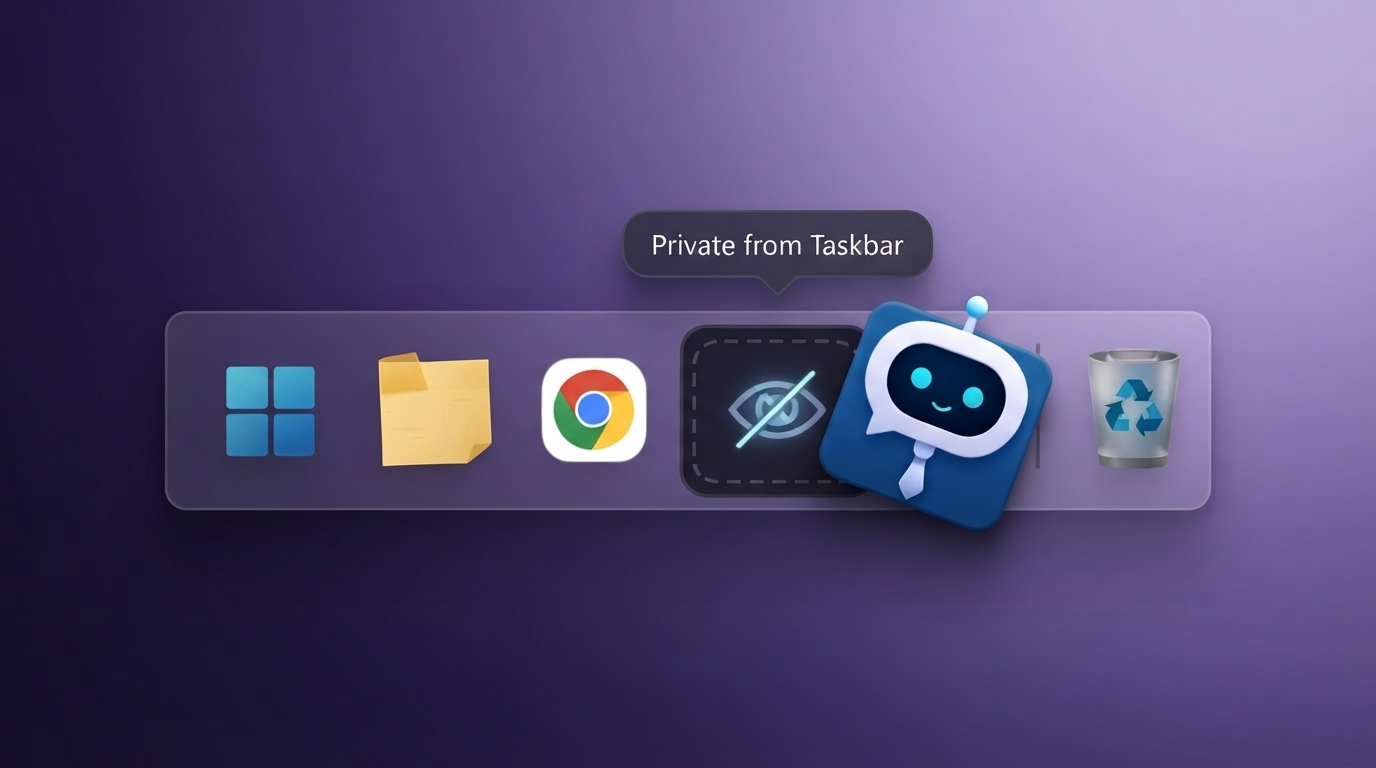
Private from your Task bar
InterviewCaddy stays invisible on your taskbar while running

No dock or taskbar icon — InterviewCaddy stays quiet and out of your way.

Works on the calls you already take
02 · Mock Interview

A staff-level interviewer. On call. At 11pm on Sunday.

Voice-first, conversational practice across behavioral, technical, and product interview modes — adapts to your resume and target company, then scores how you actually answered.

01 · Set your role

Tailor the session

Pick role, seniority, and target company. InterviewCaddy reads your actual resume and writes questions specific to your story.

02 · AI asks aloud

Answer out loud

A natural voice asks each question and listens to your reply. Conversational follow-ups, not a quiz.

03 · Detailed feedback
4/5
3/5
4/5
5/5

Track what's improving

Four-dimension scoring per session, trended over time, with rewrites of weak answers and what a strong one sounds like.

Like a professional interviewer, available 24/7. Run a 15-minute drill before bed, a full hour the morning of interview — same coach, same standards, no scheduling.
How we compare

Why InterviewCaddy?

A side-by-side with browser-based competitors. The short version: we go deeper on every axis that matters in interview preparation.

Feature InterviewCaddy Other tools
Coaching workspace
Private, lives outside video call windows
Separate workspace — not part of any shared screen.
!
Browser overlays may appear in tab switches
Risk of leaking into shared tabs.
Mock interview format
Voice-first conversational AI
Real dialogue, follow-ups, interruptions handled.
!
Basic Q&A format
Submit-an-answer, get-a-paragraph.
Interviewer voice
Natural voice reads questions aloud
Text only
Per-session performance tracking
Score trends over time
Generic feedback only
Conversational mock mode
Natural dialogue flow
Submit-based only
Resume-targeted questions
AI reads your actual resume
!
Generic questions only
Company-specific tailoring
Questions tuned to your target company
!
Limited
Native app (desktop + mobile planned)
Fast, reliable, works offline
!
Browser-based only
Pricing
From $9.99 / week
!
Most start at $40+ / month
Free trial
15 min free · no credit card
!
Limited or credit card required
Comparison reflects publicly available data on competitor features as of May 2026. ← swipe →
Why this exists

Built by someone who's been on both sides of the table.

Founder, InterviewCaddy

I spent 15 years on both sides of the interview table — first at a top North American bank, then leading product at a FAANG. I watched qualified engineers and PMs fail interviews because of nerves, time zone differences, or simply not having anyone to practice with at 11pm before a 9am loop. The interview process tests a lot of things, and not all of them are the things that matter for the actual job.

InterviewCaddy is the tool I wished I had. Honest, practical preparation that respects how interviews actually happen — and that gives you a coach in your corner whenever you need one.

— Founder, InterviewCaddy

Read more about what we will and won't do
Pricing

Pay for the week you need it.

Job searches aren't always year-long. Start free, scale up the week of your interview prep, cancel the second you land the offer.

Free
$0/ forever

Try it out — no credit card required.

Get started
  • 15 min to try any mode — mock or Live Assist
  • Behavioral, technical & product modes
  • Detailed feedback for mocks
Weekly
$15/ week

A focused prep sprint — pay only for the week you need it.

Get started
  • 150 min total of mock or Live Assist
  • Featuring 30 min of product mock practice, included in your total plan minutes
  • Performance tracking
  • Detailed feedback for mocks
  • Cancel anytime
Save 33%
Annual
$20/ month
$30/mo  Billed $240/year

Unlimited practice all year — best value, by far.

Get started
  • Unlimited mock & Live Assist practice, subject to fair use
  • Featuring 2,000 min of product mock practice, included in your total plan minutes
  • Performance tracking
  • Detailed feedback for mocks
  • Cancel anytime
Unlimited plans are subject to our fair use policy. Product mock minutes count toward total practice time. Prices subject to change.
Prices shown in USD; converted to your local currency at checkout.
FAQ

The questions everyone asks.

Still curious? Email support@interviewcaddy.com — a real person replies within a day.

Is it appropriate to use during real interviews?

That's a conversation worth having with yourself. Many candidates use InterviewCaddy purely for practice — running mock sessions before interviews and treating Live Assist as a real-time coach during practice runs with friends or peers. How you use it during a real conversation is your call. We recommend checking the interviewing company's policies on AI assistance. Our role is to provide the tool; how, when, and where you use it is yours.

Does it work with Zoom, Teams, and Google Meet?

Yes. InterviewCaddy works alongside any video conferencing tool on Windows. It listens to system audio system-wide, so it isn't tied to a specific app.

Is my resume data safe?

Yes. All connections to our service are encrypted (TLS), and our database storage is encrypted at the infrastructure layer. We never share your personal information with third parties, and we never use your data to train AI models. You can delete your account from within the app at any time. For details on our security practices and ethical commitments, see our Trust & Safety page.

Can I cancel anytime?

Yes. Cancel with one click from the app — no support ticket, no questions asked. You keep access until the end of your billing period.

What if the AI gets it wrong?

You always review AI suggestions before using them. They appear as prompts you can ignore, edit, or skip. You're in control of what comes out of your mouth — InterviewCaddy is a coach, not a script.

When will Mac and mobile apps be available?

We're actively working on Mac support and expect it well before mobile. Sign up below to be notified the moment the build is ready.

InterviewCaddy Ready when you are

Walk into your next interview prepared, not nervous.

Download for Windows — Free
Seeing a Windows warning on first launch?

Because InterviewCaddy is new, Windows SmartScreen may show “Windows protected your PC” until it recognizes us. If you see it: click More info, then Run anyway.

Windows SmartScreen dialog with the More info link circled
1Click More info — small link, easy to miss.
Expanded dialog showing Publisher: Orrign Inc and the Run anyway button
2Check the publisher reads Orrign Inc, then click Run anyway.
Windows 8/10/11 No credit card required Installs in 60 seconds
Get notified when Mac and mobile apps launch